Support our educational content for free when you purchase through links on our site. Learn more
25 Free Event Planning Checklist Templates for Excel 🎉

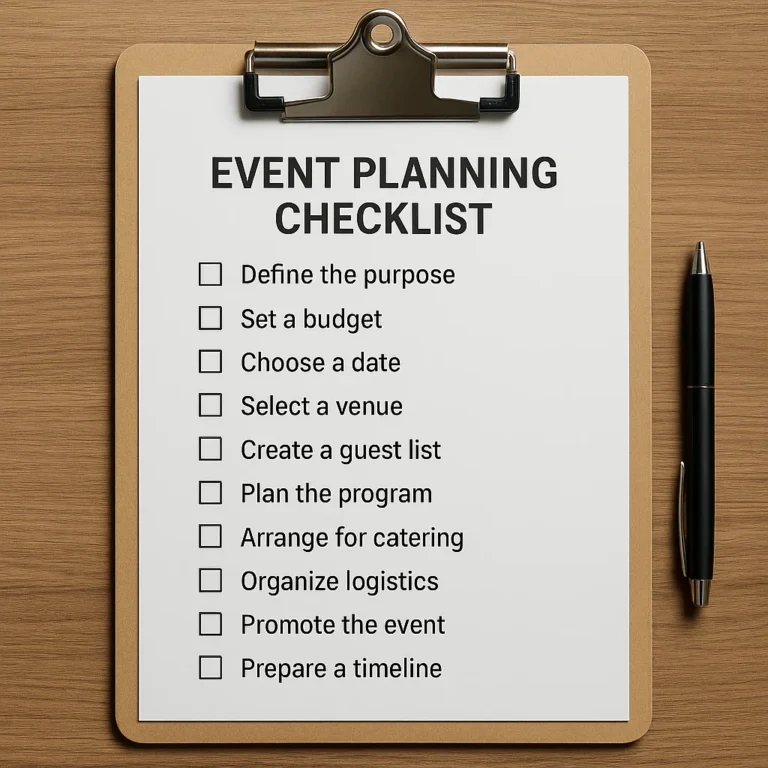
The best free event planning checklist template Excel users can start with is a simple, customizable workbook that tracks tasks, owners, deadlines, and costs in one place. We recommend beginning with a master checklist, then adding budget, guest, vendor, and event-day tabs only when your celebration actually needs them.
We’ve seen party plans woble over small details: the cater has the venue’s old address, nobody knows who’s bringing the extension cords, and the “final” guest count has been final three times. A clear spreadsheet won’t host the party for you, but it can make those details visible before the doors open.
Below, we compare 25 useful event-planning template types, explain how to build and customize an Excel checklist, and help you decide when a spreadsheet is enough—and when it’s time to graduate to a more collaborative tool.
Key Takeaways
- Start with a master checklist that gives every important task an owner, deadline, and status.
- Choose templates by function: budget, timeline, schedule, guest list, vendors, staffing, risk, and event-day run of show each solve a different planning problem.
- Track estimated, committed, paid, and actual expenses separately to keep your event budget honest.
- Customize the workbook to the event. A birthday party needs fewer tabs than a conference or wedding.
- Excel works well for small teams and straightforward events. Shared spreadsheets or project-planning software can help when several people need live updates.
- Check downloaded templates before use, confirm the file format, and protect guest information with sensible sharing permissions.
Table of Contents
- ⚡️ Quick Tips and Facts
- 🗂️ Free Event Planning Checklist Template Excel: What It Is and Who It Helps
- What an Excel event planning template can—and can’t—do
- Who benefits from a spreadsheet-based event plan
- 📋 25 Free Event Planning Templates for Excel
- 1. Master Event Planner Template
- 2. Event Planning Checklist Template
- 3. Event Planning Timeline Template
- 4. Event Schedule Template
- 5. Event Itinerary Template
- 6. Event Budget Template
- 7. Wedding Budget Template
- 8. Guest List and RSVP Tracker
- 9. Event Registration Tracking Template
- 10. Venue Comparison Template
- 11. Event Venue Checklist Template
- 12. Catering Vendor Checklist Template
- 13. Vendor Management Template
- 14. Event Staffing Plan Template
- 15. Event Floor Plan and Seating Tracker
- 16. Event Marketing and Promotion Calendar
- 17. Event Communication Plan Template
- 18. Event Inventory and Supplies Tracker
- 19. Event Risk Management Template
- 20. Event Run of Show Template
- 21. Event Task Assignment Tracker
- 22. Event Permit and Compliance Checklist
- 23. Event Accessibility Checklist
- 24. Event Evaluation and Feedback Template
- 25. Post-Event Reconciliation and Debrief Template
- 🧩 What to Include in a Strategic Event Plan
- Define event goals, audience, and success measures
- Build a realistic event timeline with milestones
- Coordinate budget, vendors, venue, and staffing
- Plan for safety, accessibility, and contingencies
- 📊 How to Build an Event Planning Checklist in Excel
- Set up useful columns, dropdowns, and status labels
- Use formulas for budget totals and task progress
- Add conditional formatting and filters
- Create a printable checklist and shareable workbook
- 📥 Where to Find Free Event Planning Checklist Templates
- Download templates from Microsoft Excel
- Find free event planning spreadsheets from trusted sources
- Check file formats, permissions, and compatibility
- 🧮 Excel, Google Sheets, or Event Planning Software?
- When Excel is the right fit
- When Google Sheets or collaborative tools work better
- When to move beyond spreadsheets
- ✅ How to Customize a Free Event Planning Spreadsheet
- Adapt the checklist for weddings, conferences, fundraisers, and parties
- Tailor tasks by event size and planning timeline
- Keep versions, backups, and shared files organized
- 🚫 Common Event Spreadsheet Mistakes to Avoid
- 🎯 Quick Tips for a Smother Event Plan
- 🏁 Conclusion
- 🔗 Recommended Links
- ❓ FAQ
- Where can I download a free event planning checklist template in Excel?
- Does Excel have a built-in event planning template?
- Can I use a free event planning template in Google Sheets?
- What should an event planning checklist include?
- How far in advance should I start planning an event?
- How do I track event expenses in Excel?
- What is the difference between an event timeline and an event schedule?
- Are free event planning spreadsheet templates safe to download?
- 📚 Reference Links
⚡️ Quick Tips and Facts
Looking for a printable list or a spreadsheet you can tailor to your own celebration? Our Party Plan Checklist™ guides and planning resources are built around the details that make a party feel effortless to guests and manageable for the host. For more topic ideas, explore our 75 Party Plan Checklist search terms. 🎉
| Quick fact | What it means for your event |
|---|---|
| A checklist is a working plan, not a magic wand | Give each task an owner, deadline, and status so “someone will handle it” doesn’t become “nobody ordered ice.” |
| A timeline and a schedule do different jobs | The planning timeline tracks tasks over weeks or months; the event schedule maps what happens on the day. |
| Budgets need actuals, not just estimates | Record quoted, committed, and paid amounts separately to see where the money is really going. |
| Free templates vary in scope | A two-column checklist may be great for confirmations, while a large conference may need linked budget, staffing, registration, and risk trackers. |
| A spreadsheet can be enough—until it isn’t | Excel works well for straightforward planning. Shared teams with frequent changes may benefit from collaboration tools such as Microsoft Teams or Smartsheet. |
Our quick-start recommendation: Download a reputable Excel workbook, make a copy, enter the event date and budget, then assign an owner and deadline to every important task. Keep one “master” file as your source of truth.
🗂️ Free Event Planning Checklist Template Excel: What It Is and Who It Helps
A free event planning checklist template in Excel is a spreadsheet that helps organize event tasks, dates, people, costs, and progress. It can support a backyard birthday, school fundraiser, wedding reception, corporate meeting, or neighborhood festival. The right template depends less on the event label and more on its size, team, complexity, and risk.
What an Excel event planning template can—and can’t—do
Excel can sort tasks, calculate totals, filter overdue items, and make a printable checklist. With a little formatting, it can also show task status at a glance. But a spreadsheet won’t call the cater, confirm the venue’s power supply, or notice that the guest count jumped by 40.
| Excel can help you… | You still need to… |
|---|---|
| Track tasks, owners, deadlines, and status | Confirm details with vendors and venues |
| Compare estimated and actual spending | Check contract terms, deposits, and payment dates |
| Organize guest, registration, and contact records | Handle personal information responsibly |
| Build timelines, schedules, and run-of-show documents | Communicate updates to the people doing the work |
| Review feedback and event results | Decide what to change next time |
Microsoft’s guidance on sharing and collaborating in Excel can help teams work from a shared file. For highly time-sensitive coordination, however, a spreadsheet can become a game of “Which version is the real one?” Save it in a shared location and agree on how edits are managed.
Who benefits from a spreadsheet-based event plan
Excel is a sensible fit when:
- You’re planning a small or medium-sized event with a manageable number of tasks.
- One person, or a small team, can keep the workbook current.
- You want to print a task list or customize a template without learning new software.
- You need familiar features such as filters, formulas, and tabs.
A more collaborative tool may be useful when several departments, vendors, or volunteers need live updates, dependencies, document storage, and individual task views. That distinction explains why one planner may love Excel while another finds it creaky: the event’s coordination demands are different.
📋 25 Free Event Planning Templates for Excel
You don’t necessarily need 25 separate files. Think of these as template types you can combine into a single workbook or use individually. Smartsheet’s free event planning templates cover many of these functions, while ProjectManager’s collection of event planning templates includes Excel, Word, and Google Sheets resources.
| Template type | Best for | Key fields |
|---|---|---|
| Master event planner | Keeping essential information together | Event goals, date, venue, leads, links |
| Checklist and timeline | Following tasks through to completion | Task, owner, due date, status |
| Budget and vendor trackers | Managing commitments and spending | Estimate, quote, actual, payment status |
| Guest and registration trackers | Monitoring attendance | Invite, RSVP, ticket or registration status |
| Event-day documents | Coordinating the live event | Time, activity, lead, location, backup |
| Review and reconciliation | Capturing outcomes and follow-up | Attendance, feedback, final costs, lessons |
1. Master Event Planner Template
Use this as the front page of your workbook: event name, purpose, date, venue, guest estimate, planning lead, team contacts, and links to other tabs. Keep it scannable. If finding the venue phone number takes longer than finding the party playlist, the overview needs tidying.
Smartsheet’s event planner template describes a centralized view of planning information such as the timeline, budget, vendors, and key contacts. That’s a useful model even if you create your own Excel version.
2. Event Planning Checklist Template
The core task list should include task, owner, due date, status, priority, notes, and completion date. A checklist that only says “catering” is too vague; break it into steps such as shortlist caters, request menus, confirm dietary needs, sign agreement, and reconfirm the headcount.
Smartsheet also offers a simple Excel event checklist focused on items to review or confirm and a comments field. That’s handy for a final walkthrough, but larger events will usually need owners and deadlines added.
3. Event Planning Timeline Template
A planning timeline answers when the work needs to happen. Build backward from event day: set the date, add immovable deadlines, then schedule tasks with enough room for approvals, delivery, and changes.
ProjectManager’s event planning Gantt chart template uses task dates and durations to visualize work over time. For a simpler Excel version, use columns for milestone, start date, due date, owner, and status.
4. Event Schedule Template
The event schedule—sometimes called the program schedule—shows the day’s sequence: doors open, welcome, activities, speeches, meals, entertainment, cleanup. Add a lead and location for each item. Include buffers: guests do not move between rooms by spreadsheet magic.
For meetings or conferences, ProjectManager’s event schedule template offers a structure for sessions, times, speakers or hosts, locations, audiences, and objectives.
5. Event Itinerary Template
An itinerary is the shareable, people-friendly version of the plan. It may include arrival instructions, parking, key timings, venue address, accessibility details, and contact information. Keep internal notes—such as vendor arrival instructions or emergency contacts—out of guest-facing copies.
6. Event Budget Template
Track each expense category with estimated, quoted, committed, paid, and actual amounts. Include taxes, delivery, service charges, rentals, permits, and a contingency line. Smartsheet’s event budget template collection compares estimated and actual costs and can help reveal variances.
A simple structure:
| Category | Estimate | Quote/committed | Paid | Final actual | Variance |
|---|---|---|---|---|---|
| Venue | |||||
| Food and beverage | |||||
| Rentals and décor | |||||
| Entertainment | |||||
| Marketing or invitations | |||||
| Contingency |
Define the variance formula consistently. For example, actual minus estimate makes overspending positive; estimate minus actual makes savings positive. Either approach works if the workbook labels it clearly.
7. Wedding Budget Template
Wedding budgets benefit from categories for venue, catering, attire, flowers, photography, music, stationery, transportation, and ceremony costs. Add columns for who is paying, deposit due, balance due, and payment confirmation. A wedding budget is not just a shopping list; it is a deadline tracker wearing a very nice outfit.
For a template starting point, see the wedding-related resources in Smartsheet’s event planning templates. Customize the categories to match your actual contracts and priorities.
8. Guest List and RSVP Tracker
Track invite name, household organization, invitation status, response, party size, dietary or access request, and follow-up status. Limit access to people who genuinely need the information. The Federal Trade Commission’s privacy and security guidance for businesses offers sensible principles for protecting personal data; even a small event team should avoid sharing sensitive details casually.
9. Event Registration Tracking Template
For ticketed or professional events, record registration date, ticket type, payment or confirmation status, check-in status, and relevant accessibility requests. Keep payment-card details out of a general spreadsheet. Use a suitable registration platform, then export only the information the event team needs.
10. Venue Comparison Template
Compare options using the same criteria: date availability, capacity, accessibility, location, transport, included equipment, cancellation terms, setup time, noise limits, and backup arrangements. A column for questions to verify prevents a polished tour from turning into a surprise rental invoice.
11. Event Venue Checklist Template
Before signing, confirm:
- Capacity for the planned layout—not only the maximum standing number.
- Access hours for setup and teardown.
- Tables, chairs, power, lighting, Wi-Fi, and audiovisual equipment.
- Restrooms, accessible routes, parking, and public transit.
- Restrictions on food, alcohol, décor, amplified sound, and outside vendors.
- Emergency procedures, insurance requirements, and cancellation terms.
For accessibility planning, consult the U.S. Department of Justice ADA guidance and verify requirements applicable to your venue and jurisdiction.
12. Catering Vendor Checklist Template
Record service style, menu choices, final guest-count deadline, dietary accommodations, staffing, setup and cleanup, equipment, delivery access, and payment milestones. Ask who supplies serving utensils, linens, and water. These small details are precisely the sort that vanish until the buffet line is forming.
13. Vendor Management Template
Track each vendor’s company, main contact, phone and email, service, contract status, arrival time, access needs, payment schedule, and backup contact. Attach or link the contract in a secure shared folder rather than relying on an old email thread.
ProjectManager’s event plan template is designed to bring phases, resources, deadlines, and budget into one plan. A spreadsheet can mirror that structure with separate tabs if your event is simpler.
14. Event Staffing Plan Template
List roles and shifts—not just names. Include check-in, guest support, room leads, stage management, vendor liaison, safety lead, and cleanup. Add break coverage and a day-of contact method. For volunteer teams, write a one-sentence description of what each role can decide without calling the planner.
15. Event Floor Plan and Seating Tracker
Use a floor plan for layout decisions and a separate tracker for table assignments, reserved areas, and special setup needs. Confirm measurements with the venue. A spreadsheet can track who sits where, but it is not a substitute for a scaled room diagram when sightlines, aisles, or equipment placement matter.
16. Event Marketing and Promotion Calendar
Track channel, audience, message, creative asset, owner, publish date, and results. Channels might include email, social media, partner newsletters, posters, or paid campaigns. Set a measurable goal—such as registrations or responses—before publishing so you can assess what worked.
ProjectManager offers a marketing calendar template for scheduling campaigns, owners, deadlines, goals, and costs.
17. Event Communication Plan Template
A communication plan clarifies who needs which update, when, and through what channel. Separate guest messages from internal staff briefings and vendor instructions. A practical tracker includes audience, message, sender, channel, send date, and follow-up owner.
For a sample framework, see ProjectManager’s communication plan template.
18. Event Inventory and Supplies Tracker
Track item, quantity needed, quantity available, source, pickup or delivery date, storage location, setup owner, and return status. Include unglamorous essentials: extension cords, tape, labels, scissors, bins, chargers, and trash bags. The glamorous décor tends to get remembered; the tape is the quiet hero.
19. Event Risk Management Template
List each risk, likelihood, impact, preventive action, response plan, owner, and trigger for action. Consider bad weather, vendor cancellation, low attendance, power or internet failure, medical incidents, and delayed deliveries. For public or complex events, coordinate with the venue and qualified safety professionals rather than treating a spreadsheet as a safety plan.
20. Event Run of Show Template
A run of show is the detailed live-event cue sheet. Include time, cue, action, responsible person, location, and fallback. Use exact language for critical transitions: “Host introduces speaker” is more useful than “speches.”
Print or share a controlled copy with the people who need it. Mark revisions clearly; an outdated run of show can be worse than no run of show.
21. Event Task Assignment Tracker
Every task needs one clearly accountable owner, even if several people help. Add priority, dependency, due date, and status. ProjectManager’s task-tracking template includes task descriptions, assignes, priorities, dependencies, dates, and status as useful fields to consider.
For larger teams, a RACI matrix can distinguish who is Responsible, Accountable, Consulted, and Informed.
22. Event Permit and Compliance Checklist
Permit needs vary by location, venue, event type, attendance, food service, alcohol, road use, and amplified sound. Track the authority contacted, requirement, application deadline, approval status, fee or insurance document, and renewal or inspection date. Verify requirements with the relevant local government; a general template cannot determine local rules.
23. Event Accessibility Checklist
Think beyond the venue entrance. Check accessible routes, seating options, restrooms, signage, registration, communication formats, service-animal policies, and how guests can request accommodations. Ask the venue specific questions and include an owner and confirmation date for each item. The ADA National Network provides information and technical assistance on disability access.
24. Event Evaluation and Feedback Template
Measure results against the goals you set before the event: attendance, registrations, donations, participation, satisfaction, or other relevant outcomes. Keep survey questions brief and actionable. Smartsheet’s event evaluation template resources include post-event evaluation among its planning options.
25. Post-Event Reconciliation and Debrief Template
Close out the event by reconciling final invoices, confirming returns, thanking vendors and volunteers, reviewing attendance, and recording lessons learned. ProjectManager’s event report template can help structure a post-event review.
In the event-planning video highlighted in this article, the presenter describes four broad stages—planning, promotion, execution, and wrap-up—and emphasizes shared, trackable tasks. We agree with the sequence; our extra practical advice is to put an owner and a deadline beside each task, then schedule the debrief while everyone still remembers where the missing sign went.
🧩 What to Include in a Strategic Event Plan
A thorough event plan connects the event’s purpose to its audience, budget, execution, and results. Smartsheet’s overview recommends defining the purpose, target audience, value, marketing strategy, success measures, and budget—a sound strategic starting point. See Smartsheet’s event planning templates and guidance.
Define event goals, audience, and success measures
Write down why the event is happening and who it serves. Turn broad aims into trackable measures: registrations, attendance, fundraising, engagement, or guest feedback. Choose measures that fit the event; a family birthday does not need a corporate dashboard, but knowing the final headcount certainly helps.
Build a realistic event timeline with milestones
Work backward from the date. Identify dependencies—what must happen before something else can begin—and put approval or delivery buffers on tasks with external partners. GanttPRO’s event planning worksheet includes early planning actions such as reserving facilities, reviewing the budget, allocating resources, developing a marketing plan, and arranging logistics.
Some templates repeat tasks, such as reviewing the budget at multiple stages. That is not necessarily an error: budget review is a recurring checkpoint, not a one-time box to tick.
Coordinate budget, vendors, venue, and staffing
Keep the budget linked to actual vendor commitments. If a venue change affects catering, access hours, or equipment, update the related tasks too. For complicated plans, dependencies in a Gantt chart can make those connections visible; GanttPRO explains its template and scheduling approach.
Plan for safety, accessibility, and contingencies
Confirm venue emergency procedures, accessible guest routes, weather plans, vendor backups, and who has authority to make day-of decisions. Record the trigger for a contingency—such as a weather forecast threshold or a vendor’s missed confirmation deadline—so the team knows when to act.
📊 How to Build an Event Planning Checklist in Excel
Here’s a straightforward build process. It works in desktop Excel and, with some feature differences, Excel for the web.
Set up useful columns, dropdowns, and status labels
- Create columns for ID, phase, task, owner, due date, priority, status, notes, and completion date.
- Convert the range into an Excel table using Insert → Table. Tables make sorting and filtering easier.
- Add a dropdown for status, such as Not started, In progress, Waiting, Complete. In Excel, use Data → Data Validation; Microsoft explains the feature in its data-validation guidance.
- Freeze the header row so labels stay visible while scrolling.
- Add separate tabs for budget, vendors, guest list, and run of show only when they make the plan easier to use.
Use formulas for budget totals and task progress
For a simple budget table, use SUM total a column of expenses. Use a variance formula such as Actual - Estimate and label the direction clearly. For task progress, count completed items and divide by the total number of tasks; exclude optional tasks if they would distort the picture.
Example, assuming status is in column G:
=COUNTIF(G2:G100,"Complete")/COUNTA(C2:C100)
``

Format the result as a percentage. Microsoft’s [Excel functions reference](https://support.microsoft.com/en-us/excel) is useful when you want to build on basic formulas.

### [Add conditional formatting and filters](#add-conditional-formating-and-filters)

Use conditional formatting to highlight overdue tasks, upcoming deadlines, or budget variances. Filter by owner to prepare a team check-in, or by status to see only open items. Microsoft explains these tools in its [conditional formatting guide](https://support.microsoft.com/en-us/office/use-conditional-formating-to-highlight-information-in-excel-fed60dfa-1d3f-4e13-9ecb-f1951ff89d7f).

Keep color meaningful: red for overdue, green for complete, amber for waiting. If every cell is brightly colored, the spreadsheet has become a small, anxious circus.

### [Create a printable checklist and shareable workbook](#create-a-printable-checklist-and-shareable-workbook)

Set print area, page orientation, scaling, and repeating header rows before printing. For sharing, store one clearly named master workbook in an approved shared location, make a backup, and establish who can edit it. Microsoft’s instructions for [sharing an Excel workbook](https://support.microsoft.com/en-us/excel/get-started/share-your-excel-workbook-with-others) explain common collaboration options.

## [📥 Where to Find Free Event Planning Checklist Templates](#where-to-find-free-event-planning-checklist-templates)

Start with established providers and inspect the file before entering personal or financial information.

### [Download templates from Microsoft Excel](#download-templates-from-microsoft-excel)

Microsoft’s [Excel template library](https://create.microsoft.com/en-us/templates/excel) is a useful place to look for spreadsheet layouts you can adapt. Search for event, budget, schedule, guest list, or project tracker; a general project template may be easier to customize than a narrowly named party checklist.

### [Find free event planning spreadsheets from trusted sources](#find-free-event-planning-spreadsheets-from-trusted-sources)

Useful places to compare include:

- [Smartsheet’s free event planning templates](https://www.smartsheet.com/free-event-planning-templates), with checklist, budget, schedule, timeline, registration, vendor, staffing, risk, communication, and evaluation options.
- [GanttPRO’s event planning worksheet](https://ganttpro.com/event-planning-worksheet/), designed for Excel, Google Sheets, or Gantt-style planning.
- [ProjectManager’s event planning template collection](https://www.projectmanager.com/blog/event-planning-templates-excel-word), which includes 19 templates across Excel, Word, and Google Sheets. Its [event plan](https://www.projectmanager.com/templates/event-plan-template) and [task tracker](https://www.projectmanager.com/templates/project-task-tracking-template) are especially relevant for checklist-style task management.
- [TeamGantt’s event planning resources](https://www.teamgantt.com/), which combine visual timelines with task tracking.

These resources are not identical. A simple downloadable checklist emphasizes review and confirmation; a project plan or Gantt template emphasizes tasks, dates, dependencies, and progress. **Choose based on the work you need to manage, not just the word “checklist” in a page title.**

### [Check file formats, permissions, and compatibility](#check-file-formats-permissions-and-compatibility)

Before using a download:

- Confirm it is an **`.xlsx`** or another format you expect.
- Check whether editing requires an account, subscription, or online workspace.
- Inspect formulas, hidden tabs, and external links before entering sensitive data.
- Make a clean copy and test the workbook with sample entries.
- Confirm that your Excel version or chosen spreadsheet app supports its features.

A file advertised as an event checklist may be a PDF, Word document, or software sign-up rather than an editable Excel workbook. Check the actual download format before building your plan around it.

## [🧮 Excel, Google Sheets, or Event Planning Software?](#excel-google-sheets-or-event-planning-software)

| Tool | Strengths | Limitations | Best fit |
|---|---|---|---|
| Microsoft Excel | Familiar formulas, formatting, filters, printable layouts | Version control and simultaneous coordination need attention | Solo hosts and small teams |
| Google Sheets | Browser-based sharing and collaboration | Advanced spreadsheet workflows may need setup; permissions matter | Teams editing together |
| Project planning software | Dependencies, assignments, visual schedules, shared updates | May require onboarding and an account | Complex events with many owners |
| Event registration platform | Registration and check-in workflows | Does not replace the full operations plan | Ticketed or attendee-heavy events |

### [When Excel is the right fit](#when-excel-is-the-right-fit)

Choose Excel when one person or a small team can maintain the plan, your event has a manageable number of moving parts, and printing or offline access matters. Its flexibility is a real advantage: you can create a birthday-party checklist without opening a formal project-management tool.

### [When Google Sheets or collaborative tools work better](#when-google-sheets-or-collaborative-tools-work-better)

Choose a shared spreadsheet when several people need to update the same plan and browser-based access is convenient. Use named editors and deliberate permissions; a link that allows anyone to edit is an invitation for accidental deletions.

### [When to move beyond spreadsheets](#when-to-move-beyond-spreadsheets)

Consider a project management tool when task dependencies, frequent schedule changes, multiple teams, document attachments, or real-time dashboards become difficult to manage manually. GanttPRO describes task linking and auto-scheduling in its [event planning worksheet guide](https://ganttpro.com/event-planning-worksheet/), while Smartsheet outlines coordination features alongside its [event planning templates](https://www.smartsheet.com/free-event-planning-templates).

ProjectManager’s article includes 19 templates and also positions its software as an alternative to static spreadsheets. That’s a useful distinction, not a contradiction: **templates help you start; software can reduce manual coordination when the plan outgrows the file.** For a small celebration, moving tools may add more work than it removes.

## [✅ How to Customize a Free Event Planning Spreadsheet](#how-to-customize-a-free-event-planning-spreadsheet)

### [Adapt the checklist for weddings, conferences, fundraisers, and parties](#adapt-the-checklist-for-weddings-conferences-fundraisers-and-parties)

Keep the common backbone—tasks, owners, dates, status, budget, and contacts—then add event-specific sections:

- **Wedding:** payments, ceremony details, seating, attire, photography, and transport.
- **Conference:** speakers, session rooms, registration, AV, sponsors, and accessibility.
- **Fundraiser:** donation tracking, auction or raffle logistics, sponsor recognition, and follow-up.
- **Birthday or private party:** invitations, food, décor, entertainment, setup, cleanup, and guest needs.

### [Tailor tasks by event size and planning timeline](#tailor-tasks-by-event-size-and-planning-timeline)

For a small party, one sheet may be enough. For an event with multiple vendors, several locations, or a large volunteer crew, use linked tabs and assign clear leads. GanttPRO’s worksheet highlights early tasks such as facility reservations, resource allocation, marketing, and special logistics; review its [sample event planning worksheet](https://ganttpro.com/event-planning-worksheet/) to see how a broader event might be organized.

### [Keep versions, backups, and shared files organized](#keep-versions-backups-and-shared-files-organized)

Use a clear filename that includes the event and date, keep the working copy in a shared location, and archive outdated versions. Protect sheets or restrict access where appropriate, but do not confuse sheet protection with privacy or security. Avoid storing unnecessary sensitive guest information in a file shared widely.

## [🚫 Common Event Spreadsheet Mistakes to Avoid](#common-event-spreadsheet-mistakes-to-avoid)

- **Tasks without owners:** Assign one accountable person, even if others assist.
- **Vague checklist items:** Break “music” into booking, playlist approval, equipment, and sound check.
- **No realistic buffer:** Include time for approvals, delivery delays, setup, and transitions.
- **Estimated costs treated as final:** Track quotes, deposits, balances, and actuals separately.
- **No contingency plan:** Record who acts and what triggers a backup.
- **Sensitive information shared too broadly:** Limit access to guest and registration details.
- **Too many tabs and fields:** Add structure only when it makes the workbook easier to use.
- **No post-event review:** Save lessons while they are fresh, not six months later when the missing sign has become folklore.

ProjectManager notes that templates help planners “stay organized and keep to your budget” in its [event template overview](https://www.projectmanager.com/blog/event-planning-templates-excel-word). We’d add one caveat: a template only helps if somebody updates it. A beautifully formatted spreadsheet with last month’s guest count is just décor for your desktop.

## [🎯 Quick Tips for a Smother Event Plan](#quick-tips-for-a-smother-event-plan)

- **Start with the event date, budget, and guest count.** Those three decisions shape nearly everything else.
- **Give every important task a name and a deadline.** “We should” is not an assignment.
- **Track confirmations in writing.** Save vendor agreements and final details in a shared, organized place.
- **Keep the day-of run of show short enough to use.** Put the right details in front of the people who need them.
- **Make the guest experience visible in the plan.** Arrival, signage, access, food, restrooms, and transitions all count.
- **Schedule a final review and a post-event debrief.** The event ends; the useful lessons should not.