Support our educational content for free when you purchase through links on our site. Learn more
How to Dry a Hoverboard After Rain 🌧️

To dry a hoverboard after riding in rain, switch it off, unplug it if safe, wipe the exterior, and leave it in a dry, ventilated place. Don’t charge or power it back on until the manufacturer or a qualified technician confirms it’s safe—especially if it rode through heavy rain, a puddle, or water may have reached the casing.
The tricky part? A dry-looking shell doesn’t prove the battery or electronics are dry inside. We’ve seen rainy-day plans go from “one quick ride” to “where’s the indoor backup?” fast, so our rule is simple: treat water exposure cautiously and keep the party moving with a safer activity.
Key Takeaways
- Turn it off and don’t charge it after rain until you’ve checked the manufacturer’s guidance.
- Blot exterior water and let the board air-dry in a dry, ventilated spot, away from direct heat.
- Skip rice, hair dryers, radiators, and test rides as shortcuts; none confirms the electronics are safe.
- Get professional advice after heavy rain, puddle exposure, water near the charging port, or any warning signs such as unusual heat, swelling, smoke, or odor.
- Prevent the sogy-board scramble: check the weather, avoid wet routes, and plan an indoor backup.
Table of Contents
- ⚡ Quick Tips and Facts
- 🌧️ Hoverboards, Rain, and Water-Resistance Ratings
- Why Rainwater Can Damage a Hoverboard
- What IP Ratings Do—and Don’t—Tell You
- 🚨 First Things to Do After Riding a Hoverboard in Rain
- 12 Immediate Steps to Reduce Water Damage
- What Not to Do: Charging, Heat, and Powering On
- 🧽 How to Dry a Wet Hoverboard Safely
- Drying the Exterior, Wheels, and Charging Port
- Air-Drying Time and the Best Place to Leave It
- Why Rice, Hair Dryers, and Radiators Aren’t Reliable Fixes
- 🔋 Battery and Electrical Safety After Water Exposure
- Signs the Battery or Wiring May Be Damaged
- When to Stop Handling the Hoverboard
- 🛠️ Checking, Testing, and Repairing a Rain-Wet Hoverboard
- Visual Checks Before You Turn It On
- How to Test It Once It’s Completely Dry
- When to Contact the Manufacturer or a Repair Technician
- ☔ How to Prevent Hoverboard Water Damage
- Rain-Riding Habits and Safer Route Choices
- Storage, Cleaning, and Routine Maintenance
- Choosing a Hoverboard for Wet Conditions
- ❓ Common Mistakes and Myths About Wet Hoverboards
- ✅ Conclusion
- 🔗 Recommended Links
- 🙋 FAQ
- 📚 Reference Links
⚡ Quick Tips and Facts
If you’ve just ridden through rain, stop using the hoverboard, switch it off, and do not charge it. Water can reach the charging port, battery, motor, or control electronics even when the outer shell looks dry. For a broader wet-weather checklist, see 🌧️ 10 All-Weather Hoverboard Maintenance Tips for Rainy Days (2026).
| Situation | Safer next step |
|---|---|
| The board got lightly splashed | Power it off, dry the exterior, and leave it in a dry, ventilated room. |
| It rode through heavy rain or puddles | Keep it off and unpluged; contact the manufacturer or a qualified repair technician before charging or using it. |
| Water entered the charging port or casing | Don’t power it on or charge it. Arrange a professional inspection. |
| You notice heat, swelling, smoke, leaking, or an unusual chemical smell | Keep away, don’t handle or charge it, and contact emergency services if there is smoke or fire. |
| You’re unsure how wet it got | Treat it as though water may have reached the electronics. Waiting alone cannot confirm it’s safe. |
Fast safety checklist
- ✅ Power down using the board’s normal switch if it is safe to do so.
- ✅ Disconnect the charger from the wall if the board is connected and you can unplug it safely.
- ✅ Wipe exterior moisture with a clean, absorbent cloth.
- ✅ Store the board away from heat, direct sun, flames, and combustible materials.
- ❌ Don’t charge it, turn it back on to “see if it works,” or ride it to dry the wheels.
- ❌ Don’t use a hair dryer, heat gun, oven, radiator, or compressed air to force-dry it.
- ❌ Don’t open the battery enclosure unless you’re qualified and the manufacturer’s instructions explicitly support it.
Hoverboards contain lithium-ion batteries. The U.S. Consumer Product Safety Commission (CPSC) warns consumers to use only compatible chargers and follow product-specific safety directions. For battery safety guidance, the National Fire Protection Association (NFPA) also advises care with rechargeable devices and damaged batteries.
The practical rule: drying the outside is a reasonable first step; deciding that the inside is safe is a different matter. The manufacturer’s guidance and a technician’s inspection matter more than a universal “wait X hours” promise.
🌧️ Hoverboards, Rain, and Water-Resistance Ratings
A hoverboard may look like a sturdy little tank, but it’s an electric personal mobility device with seams, wiring, a charging port, sensors, motors, and a battery pack. Rain exposure is not automatically harmless just because the board keeps running.
Why Rainwater Can Damage a Hoverboard
Water can create problems in several places:
- Charging port: Moisture or debris in the port can contribute to corrosion or an electrical fault.
- Battery compartment: A compromised enclosure or seal can let moisture reach battery connections.
- Control boards and wiring: Moisture can interfere with electrical contacts or cause corrosion that develops later.
- Motors, wheels, and bearings: Water and grit can contaminate moving parts, leading to noise, wear, or reduced performance.
- Footpads and sensors: A board that behaves unpredictably after water exposure is a safety risk, not a “let’s try one more lap” situation.
The U.S. Fire Administration explains that damaged lithium-ion batteries can pose fire risks. That doesn’t mean every damp hoverboard will catch fire; it does mean you should take unusual heat, swelling, leakage, smoke, or odors seriously.
What IP Ratings Do—and Don’t—Tell You
Some hoverboards advertise an IP rating, but the exact rating and the manufacturer’s own use instructions are what count. An IP rating describes specific test conditions; it is not a blanket promise that a board is safe in every storm, puddle, or washdown.
| Label or condition | What it suggests | What you should not assume |
|---|---|---|
| No published IP rating | Water-resistance performance is not clearly specified | That the board can handle rain |
| Splash-resistant claim | The product may tolerate limited splashes under stated conditions | That it can be ridden through standing water or heavy rain |
| Published IP code | A defined ingress-protection test classification may apply | That the rating covers every component or overrides the manual |
| Wet exterior, unknown interior | The board needs careful handling | That a dry-looking shell means the electronics are dry |
Check your model’s manual and official product page. For example, consult Segway’s support resources or the specific brand’s documentation rather than borrowing a rating from a similar-looking model. Never infer water resistance from appearance, price, or another owner’s experience.
🚨 First Things to Do After Riding a Hoverboard in Rain
The first few minutes are about reducing risk, not rescuing the evening’s ride. At a party, we’d rather disappoint one eager guest than turn a rainy photo opportunity into a battery-safety problem.
12 Immediate Steps to Reduce Water Damage
- Stop riding. Don’t keep moving to “shake off” the water.
- Switch the hoverboard off with its normal power control, if it is safe and responsive.
- Unplug it from the charger if it is charging and you can disconnect the plug without touching wet or damaged parts. If there is heat, smoke, or sparking, move away and seek emergency help.
- Move it to a dry, sheltered area away from rain and foot traffic.
- Keep it away from heat and ignition sources. Don’t leave it by a heater, fireplace, or sunny window.
- Remove surface water with a soft, absorbent cloth. Blot rather than rubbing water toward openings.
- Keep the charging port pointed away from drips. Don’t poke inside it or insert metal objects.
- Check for obvious danger signs such as swelling, leaking, unusual warmth, hissing, smoke, or a chemical smell.
- Look for visible water entry around seams, the port, and the underside without opening the casing.
- Note the exposure. Was it drizzle, a puddle splash, or a long ride in heavy rain? Tell the manufacturer or technician.
- Find the model number and manual so you can follow the exact manufacturer’s instructions.
- Leave it switched off and uncharged until you receive appropriate guidance or have it inspected.
The CPSC hoverboard safety guidance emphasizes following manufacturer instructions and using the supplied or approved charger. That matters especially after a wet ride, when the temptation to plug in and check the battery is strong.
What Not to Do: Charging, Heat, and Powering On
| Tempting shortcut | Why we don’t recommend it |
|---|---|
| “I’ll just switch it on for a second.” | Powering wet electronics can worsen damage or create a safety hazard. |
| “I’ll charge it overnight and see.” | Charging a potentially wet or damaged lithium-ion battery is not a safe diagnostic test. |
| Hair dryer or heat gun | Direct heat can damage plastics, seals, wiring, and battery components. |
| Oven, radiator, or direct sunlight | Heat is difficult to control and can create additional battery risk. |
| Compressed air into openings | It may drive water and debris farther inside. |
| Opening the casing without training | You may damage seals or disturb battery wiring and create a new hazard. |
| “It worked after the last rain.” | A previous outcome does not establish that this exposure is safe. |
The first YouTube video discussed in this article recommends powering off and disconnecting the charger promptly, and cautions against direct heat. Its more advanced advice about opening the board, disconnecting parts, and cleaning corrosion is not a general DIY recommendation: hoverboards contain high-energy batteries, and model construction varies. See the featured video, but follow your manufacturer’s instructions and use a qualified technician for internal work.
🧽 How to Dry a Wet Hoverboard Safely
You can safely remove water from the outside. You cannot reliably confirm that the inside is dry just by wiping the shell. That distinction is the heart of this whole sogy saga.
Drying the Exterior, Wheels, and Charging Port
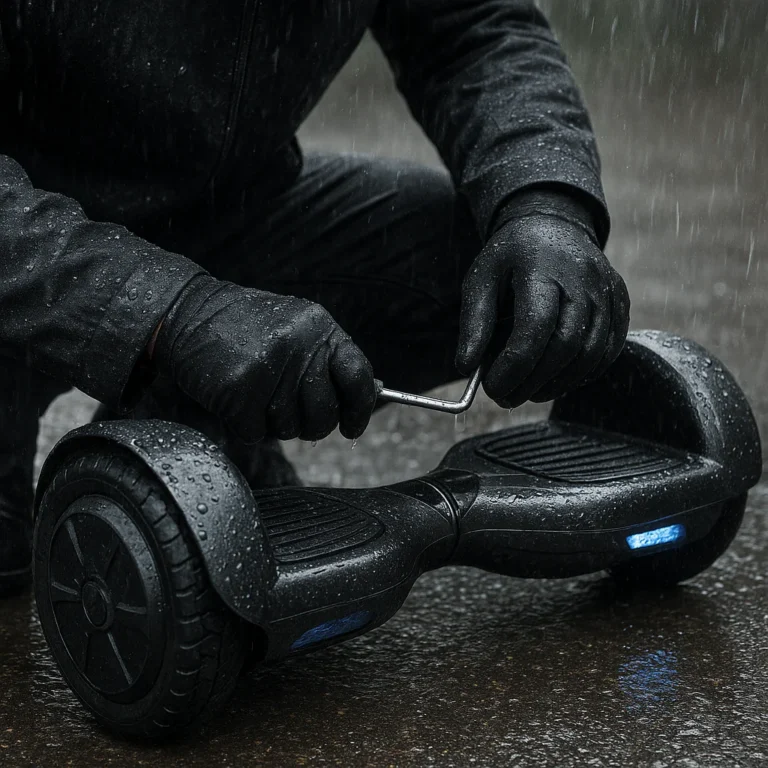
- Place the powered-off board on a stable, dry surface.
- Use a clean microfiber or other soft absorbent cloth to blot the shell and footpads.
- Wipe wheel surfaces gently. Don’t spin the wheels with your hands if the manufacturer warns against it, and don’t use a hose.
- If mud or grit is present, remove it from the exterior with a lightly damp cloth, then dry the area. Keep cleaning liquid away from openings.
- Inspect the charging-port cover, if present, without forcing it. Let the port area dry naturally.
- Leave the board in a dry, ventilated room, away from children, pets, and anything that could block airflow.
Don’t put cotton swabs, paper, tools, or alcohol into the charging port unless the manufacturer specifically instructs you to. Recommendations to clean a port with a particular alcohol concentration are not universal; using the wrong solvent or pushing debris inside can make things worse. Ask the brand’s support team or a repair professional.
Air-Drying Time and the Best Place to Leave It
Choose a stable indoor location with ordinary room-temperature conditions and good ventilation. Keep the hoverboard off and uncharged while you seek model-specific advice.
There is no reliable one-size-fits-all drying time for a rain-wet hoverboard. “Wait 24 hours” or “leave it 48 hours” can be useful as a conservative pause, but neither proves that moisture hasn’t reached the battery or control electronics. A heavily soaked board may need professional inspection; an apparently dry board may still have water inside.
| Exposure | Sensible approach |
|---|---|
| A few exterior splashes, no water near openings | Wipe it dry and consult the manual before using or charging. |
| Heavy rain, puddles, or wet charging-port area | Keep it off and uncharged; contact the manufacturer or a qualified repair service. |
| Submersion, water inside the casing, or sloshing sounds | Don’t attempt routine home drying. Keep away from heat and arrange professional assessment. |
| Any battery warning sign | Stop handling it and seek appropriate safety assistance. |
The party-planning version is simple: quarantine the board, label it “do not use,” and carry on with the event using a safer activity. A spare playlist is easier to find than a spare battery pack.
Why Rice, Hair Dryers, and Radiators Aren’t Reliable Fixes
Rice is not a substitute for inspecting a sealed electronic device. It may absorb some moisture in its surroundings, but it cannot show whether water remains inside a battery enclosure or under a circuit board. Rice dust and fragments can also get into openings.
Likewise, heat can damage the device, and forced air may push moisture inward. If a technician recommends a controlled drying process, follow that professional’s instructions—not a kitchen-counter experiment.
🔋 Battery and Electrical Safety After Water Exposure
A wet shell is inconvenient. A compromised battery deserves much more caution. Hoverboards use lithium-ion battery packs, and the CPSC recommends using compatible chargers and following safety instructions for the specific product.
Signs the Battery or Wiring May Be Damaged
Stop using and charging the board if you notice:
- Unusual heat while switched off or sitting idle.
- Swelling, bulging, or a distorted enclosure.
- Leaking liquid, smoke, sparks, or a hissing sound.
- A chemical or burning smell.
- Intermittent power, error alerts, or a sudden change in behavior after water exposure.
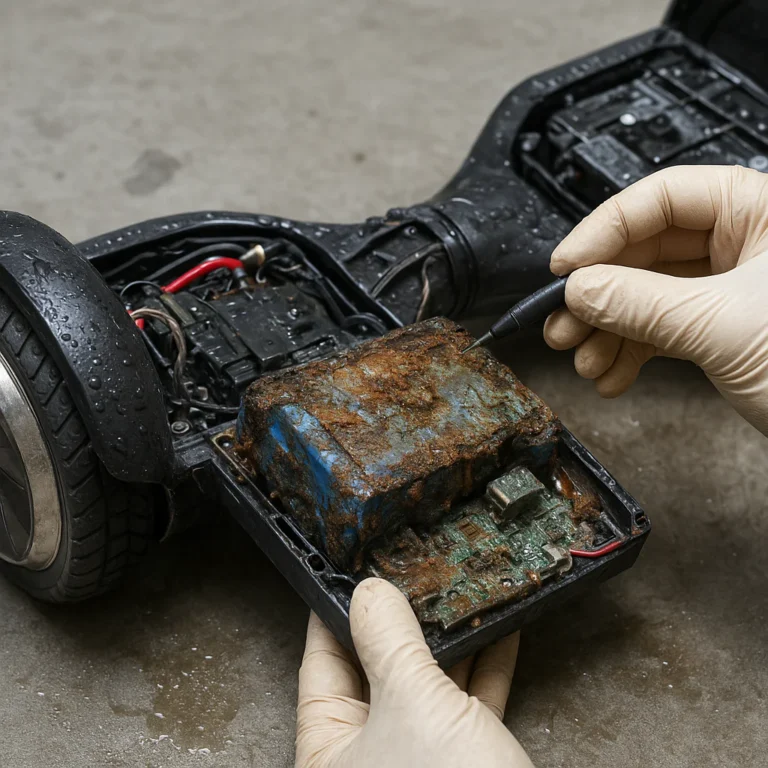
- Visible corrosion, discolored residue, or moisture inside the casing.
Don’t touch a leaking or swollen battery. Move people away and contact emergency services if it is smoking, burning, or producing fumes. For disposal advice, contact your local hazardous-waste program; the EPA’s battery recycling guidance explains why batteries should not simply be tossed in ordinary household trash.
When to Stop Handling the Hoverboard
- ✅ Keep people, pets, and combustible items away from a board showing battery warning signs.
- ✅ If it is safe, leave it powered off and unpluged.
- ✅ Get advice from the manufacturer or a qualified technician.
- ❌ Don’t open, puncture, squeeze, or attempt to remove a swollen battery.
- ❌ Don’t put a smoking or hot board in a vehicle or enclosed room.
- ❌ Don’t pour water on a battery fire; follow emergency responders’ instructions.
For serious battery symptoms, safety comes before salvage. The board can be replaced; people cannot.
🛠️ Checking, Testing, and Repairing a Rain-Wet Hoverboard
A hoverboard that powers on is not necessarily safe. Moisture-related corrosion can show up later, and an electrical fault can affect balance or motor response. Treat testing as something to do only after the manufacturer or a qualified technician says it is appropriate.
Visual Checks Before You Turn It On
With the device switched off and unpluged, check only what you can see without opening it:
- Shell cracks, loose panels, or damaged seals.
- Moisture, residue, or corrosion near the charging port.
- A bent or damaged charger plug or cable.
- New wheel rubbing, grinding, or unusual resistance.
- Error indicators recorded in the manual.
- Any battery swelling, leakage, odor, or unusual warmth.
Don’t remove panels to inspect the battery unless you are qualified and the manufacturer’s service guidance authorizes that work. Many consumer-device warranties exclude damage caused by unauthorized disassembly.
How to Test It Once It’s Completely Dry
There is no universal test that makes a rain-exposed board safe. If the manufacturer or technician clears it for use:
- Follow the exact inspection and power-up instructions for your model.
- Use only the manufacturer-approved charger and charging method.
- Test in a dry, open, controlled area—not at a crowded party or beside a road.
- Keep the initial test brief and at walking pace, with a spoter if appropriate.
- Stop immediately if it drifts, beps unexpectedly, vibrates, overheats, smells unusual, or responds inconsistently.
- Don’t resume normal use until the problem is resolved and the board is cleared.
The competing advice sometimes suggests a short test ride after drying. Our recommendation is more cautious: a test ride is not a substitute for inspection, especially after heavy rain, a puddle crossing, or water around the charging port.
When to Contact the Manufacturer or a Repair Technician
Contact the manufacturer or a qualified repair service if:
- The board was soaked, submerged, or exposed to heavy rain.
- You suspect water entered the casing or charging port.
- The board shows errors, unusual noises, drift, or intermittent power.
- The battery is warm, swollen, leaking, or smells unusual.
- You’re unsure whether it is safe to charge.
Provide the brand, model, serial number, exposure details, and any error codes. Don’t hide water exposure; accurate information helps the technician assess the risk. Official support pages such as Segway Support are a better starting point than a generic fix video.
☔ How to Prevent Hoverboard Water Damage
A little planning can prevent the “wet board, now what?” scramble. We use the same approach as event weather planning: decide where the activity moves before the first raindrop starts bossing everyone around.
Rain-Riding Habits and Safer Route Choices
- Check the forecast and choose another activity if rain is likely.
- Avoid puddles, wet grass, standing water, and muddy routes.
- Follow your model’s manual about wet surfaces and weather; do not assume all hoverboards have the same protection.
- Don’t ride through rain simply because the board is marketed as splash-resistant.
- Keep a dry, sheltered place available for storage during an outdoor event.
- Add a rain plan to your event venue selection checklist and birthday party checklist.
Storage, Cleaning, and Routine Maintenance
- Store the board indoors in a dry place, following the manufacturer’s temperature and charging instructions.
- Inspect the charging-port cover, shell, and visible seams before use.
- Clean the exterior with manufacturer-approved methods; avoid pressure washers and soaking.
- Use only compatible charging equipment.
- Arrange repair for cracked cases, loose seals, or damaged cables before riding again.
- Keep an event checklist for gear, weather, and backup activities. Our event management software resources and budget party planning ideas can help organize the non-hoverboard parts of the plan—like the very useful indoor backup.
Choosing a Hoverboard for Wet Conditions
If rain exposure is a concern, compare the exact model documentation rather than relying on broad marketing language.
| What to check | Why it matters |
|---|---|
| Published water-resistance rating and test scope | Helps clarify what exposure the manufacturer claims the product can tolerate |
| Manual’s rain and wet-surface instructions | The most relevant guidance for use, care, and warranty |
| Charging-port design and cover | A protective cover is useful but not proof of waterproofing |
| Battery and charger safety certifications | Helps you verify the product’s stated safety credentials |
| Manufacturer support and repair access | Important if inspection or service is needed |
| Warranty exclusions | Water damage may not be covered, even if limited splash resistance is advertised |
A well-known brand name alone does not guarantee rain suitability. Check the exact model’s manual, warranty, and official support information before purchasing or riding.
❓ Common Mistakes and Myths About Wet Hoverboards
- ❌ “It turned on, so it’s fine.” A board can power up while still having moisture or damage that affects safe operation.
- ❌ “The outside is dry, so the inside is dry.” A wipe-down cannot verify the battery compartment or control electronics.
- ❌ “Wait 24 hours and it’s automatically safe.” No single waiting period guarantees a safe battery or electronics inspection.
- ❌ “Rice fixes water damage.” Rice cannot inspect or reliably dry hidden components.
- ❌ “A splash-resistant rating means waterproof.” Ratings and model instructions have limits; check the manufacturer’s exact claims.
- ❌ “I can clean the port with whatever alcohol I have.” Use only cleaning methods the manufacturer or a qualified technician approves.
- ✅ “When exposure is unclear, keep it off and ask.” That’s less exciting than a test ride, but far more useful than learning about water damage the hard way.